
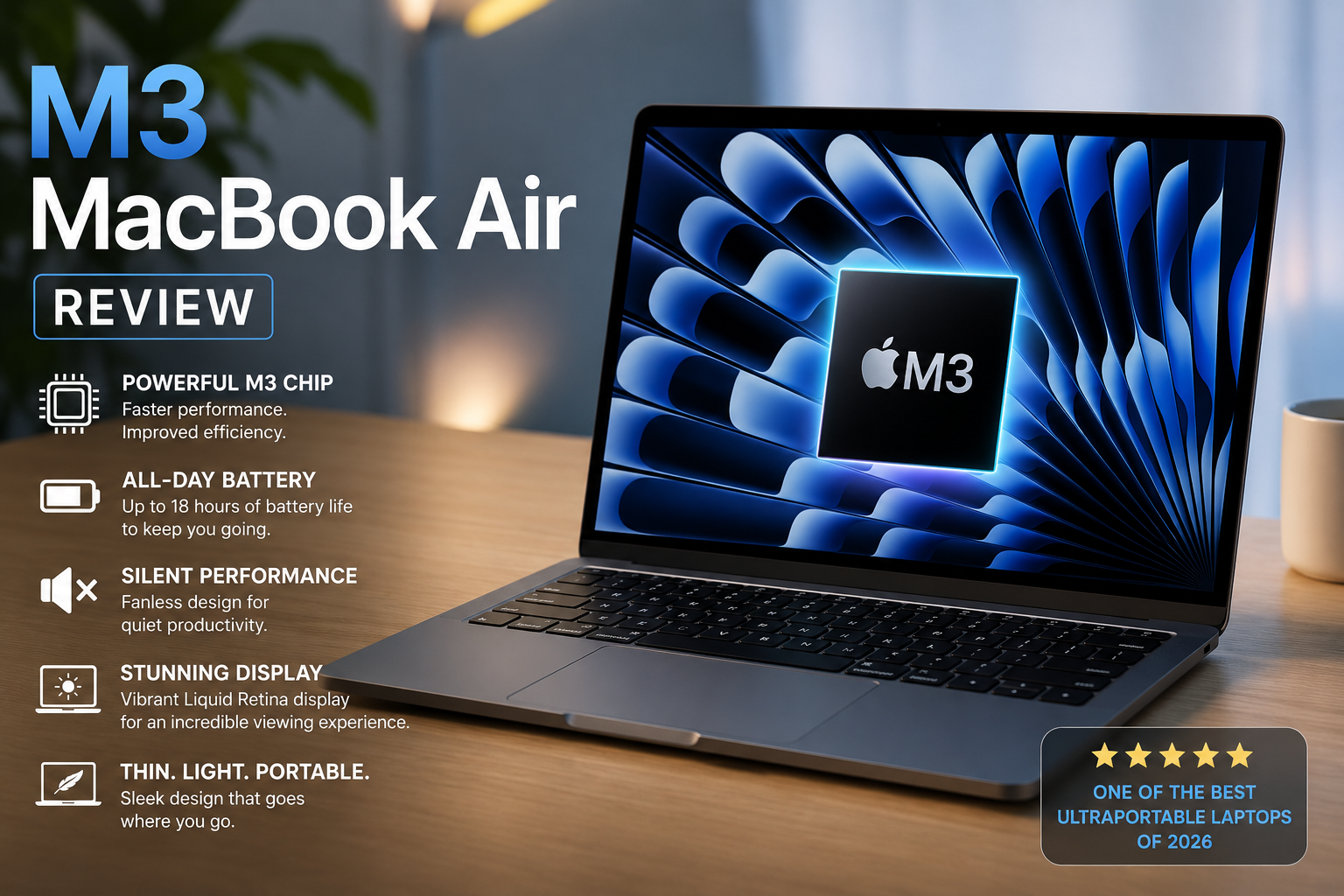
Imagine opening a laptop so thin and lightweight that it seems to disappear into your bag, yet powerful enough to handle demanding projects, creative workflows, and everyday multitasking without breaking a sweat. That’s exactly what the MacBook Air M3 brings to the table. Apple has taken its most popular ultraportable laptop and infused it with the advanced M3 chip, creating a device that feels faster, smarter, and more efficient than ever before.
Whether you’re a student rushing between classes, a professional working remotely, a content creator editing photos and videos, or an entrepreneur managing a growing business, the MacBook Air M3 is designed to keep up with your ambitions. Its stunning Liquid Retina display delivers vibrant colors and sharp details, while the fanless design ensures completely silent operation, even during intensive workloads. Add industry-leading battery life, and you have a laptop that can power through an entire day without reaching for a charger.
But specifications only tell part of the story. The real magic of the MacBook Air M3 lies in how effortlessly it blends performance and portability. It launches apps instantly, handles dozens of browser tabs with ease, and makes everyday computing feel smooth and responsive. In this review, we’ll explore the MacBook Air M3’s features, performance, battery life, user experience, and overall value to help you determine whether Apple’s latest Air is the perfect laptop for your needs.
Why the M3 MacBook Air is Better Than Most Competitors
- Powerful yet highly efficient M3 chip
The MacBook Air M3 uses Apple’s 3nm processor, which delivers strong CPU and GPU performance while consuming very little power. This gives you fast app launches, smooth multitasking, and reliable performance for work, study, and light creative tasks without overheating or slowing down. - Exceptional battery life
Compared to many Windows ultrabooks, the M3 MacBook Air lasts significantly longer on a single charge. It can comfortably handle a full day of work, classes, or travel use, reducing the need to carry a charger everywhere. - Silent fanless design
Unlike most laptops that rely on cooling fans, the MacBook Air M3 runs completely silently. This makes it ideal for quiet environments like libraries, meetings, or night work, while still maintaining stable everyday performance. - Premium display and build quality
The Liquid Retina display offers sharp text, vibrant colors, and excellent brightness. Combined with Apple’s aluminum build, the laptop feels premium, durable, and comfortable for long-term use. - Strong ecosystem and software experience
macOS works seamlessly with other Apple devices like iPhone and iPad. Features like AirDrop, iCloud sync, Handoff, and Universal Clipboard improve productivity and make daily workflows faster and more connected than most competing systems.
Quick Product overview
| Feature | Apple MacBook Air 13-inch M3 8GB/256GB | Apple MacBook Air 13-inch M3 16GB/512GB | Apple MacBook Air 13-inch M3 24GB/512GB | Apple MacBook Air 15-inch M3 8GB/256GB | Apple MacBook Air 15-inch M3 16GB/512GB |
|---|---|---|---|---|---|
| Display Size | 13.6-inch | 13.6-inch | 13.6-inch | 15.3-inch | 15.3-inch |
| Processor | Apple M3 | Apple M3 | Apple M3 | Apple M3 | Apple M3 |
| RAM | 8GB | 16GB | 24GB | 8GB | 16GB |
| Storage | 256GB SSD | 512GB SSD | 512GB SSD | 256GB SSD | 512GB SSD |
| Best For | Students | Professionals | Content Creators | Multitasking | Power Users |
| Battery Life | Up to 18 Hours | Up to 18 Hours | Up to 18 Hours | Up to 18 Hours | Up to 18 Hours |
5 Apple MacBook Air M3 Series Review Guide
1. Apple MacBook Air 13-inch M3 (16GB RAM, 256GB SSD)
Apple’s M3 processor delivers smooth multitasking for web browsing, office work, programming, and light creative applications. The fanless design keeps the laptop completely silent while maintaining impressive performance.
The 16GB RAM version is highly recommended because it provides better multitasking capabilities and future-proofing than older 8GB configurations. Many reviewers consider it the best entry point into the MacBook Air lineup.
Key Specifications
- Display: 13.6-inch Liquid Retina
- Resolution: 2560 × 1664
- Processor: Apple M3
- Memory: 16GB Unified Memory
- Storage: 256GB SSD
- Battery Life: Up to 18 hours
- Weight: 1.24 kg
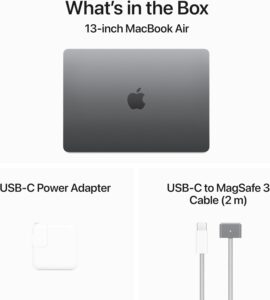
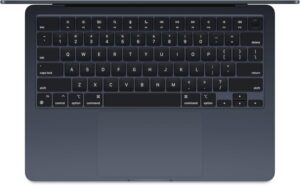
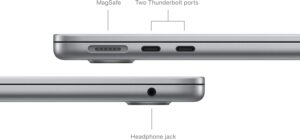
- Ports: MagSafe, 2× Thunderbolt/USB-C, Headphone Jack
Main Features
1. M3 Performance
The M3 processor offers faster CPU and GPU performance than previous generations. It handles office work, coding, photo editing, and multitasking with ease.
2. Fanless Silent Design
Unlike many Windows laptops, the MacBook Air operates without a cooling fan. This means zero noise during normal use.
3. Excellent Battery Life
Users can comfortably work an entire day without carrying a charger. Battery performance remains one of the Air’s biggest strengths.
Pros
- Extremely portable
- Excellent battery life
- Silent operation
- Premium build quality
- Bright Liquid Retina display
Cons
- 256GB storage fills quickly
- Limited ports
User Guide
Initial Setup
- Press the power button.
- Select your language.
- Connect to Wi-Fi.
- Sign in with your Apple ID.
- Configure Touch ID.
- Complete macOS setup.
Recommended Apps
- Safari
- Microsoft Office
- Google Chrome
- Adobe Photoshop
- Zoom
- Slack
Best For
- Students
- Writers
- Office workers
- Business travelers
Also Read: Apple Watch Series 11 Review: Is It Worth Buying?.
2. Apple MacBook Air 13-inch M3 (16GB RAM, 512GB SSD)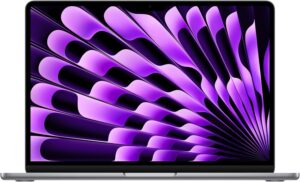
The 512GB SSD provides significantly more room for applications, photos, videos, and work files. For affiliate marketers, software developers, and content creators, this version offers the best balance between price and capability.
Key Specifications
- 13.6-inch Liquid Retina Display
- Apple M3 Processor
- 16GB Unified Memory
- 512GB SSD
- Wi-Fi 6E
- MagSafe Charging
- Up to 18-hour battery
Main Features
1. Future-Proof Storage
512GB storage eliminates the need for constant file management.
2. Superior Multitasking
16GB RAM allows users to run multiple browser tabs, office apps, and creative software simultaneously.
3. Dual External Display Support
Supports two external displays when the laptop lid is closed.
Pros
- Excellent value
- Better storage capacity
- Great productivity machine
- Lightweight
Cons
- Upgrades increase cost
- Not designed for heavy 3D rendering
User Guide
Productivity Setup
- Enable iCloud Sync.
- Install Microsoft Office.
- Configure Time Machine backups.
- Enable FileVault encryption.
- Connect external monitor if required.
Maintenance Tips
- Keep at least 20% SSD space free.
- Update macOS regularly.
- Clean keyboard and display weekly.
Best For
- Professionals
- Affiliate marketers
- Programmers
- Small business owners
Also Read: 7 Best Budget Night Vision Binoculars for Outdoor Adventures(Purchase Guide)
3. Apple MacBook Air 13-inch M3 (24GB RAM, 512GB SSD)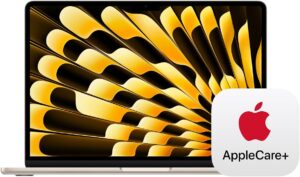
This model targets power users who need additional memory for demanding workflows.
With 24GB of unified memory, users can comfortably handle large spreadsheets, virtual machines, software development environments, and advanced photo editing projects.
For many creators, this configuration performs surprisingly close to entry-level MacBook Pro models.
Key Specifications
- Apple M3 Processor
- 24GB Unified Memory
- 512GB SSD
- 13.6-inch Liquid Retina Display
- Wi-Fi 6E
Main Features
1. Massive Memory Capacity
Supports intensive multitasking without slowdowns.
2. Professional Workflows
Excellent for coding, Lightroom editing, and business analytics.
3. Energy Efficiency
Maintains exceptional battery life despite increased workload demands.
Pros
- Outstanding multitasking
- Excellent performance
- Highly future-proof
Cons
- Expensive
- Most users won’t need 24GB RAM
User Guide
Optimizing Performance
- Keep Activity Monitor open occasionally.
- Close unused apps.
- Use external SSDs for large projects.
- Enable automatic backups.
Best For
- Software developers
- Data analysts
- Advanced content creators
4. Apple MacBook Air 15-inch M3 (16GB RAM, 256GB SSD)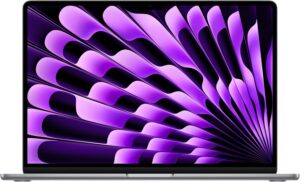
The additional screen space makes multitasking easier, especially when working with spreadsheets, documents, and multiple browser windows. Many users describe it as the ideal balance between portability and workspace.
Key Specifications
- Display: 15.3-inch Liquid Retina
- Resolution: 2880 × 1864
- M3 Processor
- 16GB RAM
- 256GB SSD

Main Features
1. Larger Workspace
Perfect for multitasking and productivity.
2. Enhanced Audio
The 15-inch model includes a six-speaker sound system that delivers richer audio.
3. Exceptional Battery Life
Despite the larger display, battery life remains excellent.
Pros
- Larger display
- Better speakers
- Excellent performance
Cons
- Less portable than 13-inch
- 256GB storage limitation
User Guide
Recommended Accessories
- USB-C Hub
- External SSD
- Laptop sleeve
- Magic Mouse
Best For
- Business professionals
- Spreadsheet users
- Remote workers
Next Read: 7 Best Rechargeable Headlamps for Camping (Expert-Tested Guide)
5. Apple MacBook Air 15-inch M3 (16GB RAM, 512GB SSD)
For users who spend long hours on their laptop, the larger display reduces eye strain and improves workflow efficiency. The 512GB SSD ensures plenty of room for files and applications.
Key Specifications
- 15.3-inch Liquid Retina Display
- M3 Processor
- 16GB Unified Memory
- 512GB SSD
- Six-Speaker Audio System
- MagSafe Charging
Main Features
1. Ultimate Productivity
Large display combined with powerful hardware creates an exceptional work environment.
2. Superior Multimedia Experience
Movies, video editing, and content consumption benefit from the larger screen and enhanced speakers.
3. Professional Multitasking
Handles demanding workloads effortlessly.
Pros
- Best Air model for professionals
- Excellent display
- Great speakers
- Large storage capacity
Cons
- Higher price
- Slightly less portable
User Guide
Professional Setup Checklist
- Configure iCloud Drive.
- Install productivity software.
- Set up Time Machine.
- Enable Touch ID.
- Configure Focus Modes.
- Connect external monitor if needed.
Best For
- Professionals
- Content creators
- Entrepreneurs
- Affiliate marketers
- Business owners
Final Recommendation
For most buyers, the MacBook Air 13-inch M3 (16GB RAM, 512GB SSD) offers the best value. However, if you spend hours working with multiple windows and large documents, the 15-inch M3 with 16GB RAM and 512GB SSD is the most productive option in the MacBook Air lineup. Community feedback consistently highlights the M3 Air’s combination of performance, battery life, and portability as its strongest advantages.
Also Read: 6 Best Wireless Earbuds with Ear Hooks and Noise Cancelling(Best-Selling Picks)
FAQS:m3 macbook air.
1. Is the MacBook Air M3 worth buying in 2026?
Yes. The MacBook Air M3 remains one of the best laptops for students, professionals, and everyday users. It offers excellent performance, long battery life, a premium design, and a lightweight build. The M3 chip easily handles web browsing, office work, programming, photo editing, and light video editing, making it a great long-term investment.
2. What is the difference between the 13-inch and 15-inch MacBook Air M3?
The main differences are screen size, speaker system, and portability. The 13-inch model is lighter and easier to carry, while the 15-inch version provides more screen space and better speakers. Performance, battery life, and processor options are nearly identical, so the choice depends on whether you prioritize portability or a larger display.
3. Is 8GB RAM enough for a MacBook Air M3?
For basic tasks such as web browsing, streaming, email, and document editing, 8GB RAM is sufficient. However, most users should consider 16GB RAM for better multitasking and future-proofing. Users who run creative applications, virtual machines, or professional software may benefit from 24GB RAM.
4. Can the MacBook Air M3 handle video editing and content creation?
Yes. The M3 chip is powerful enough for photo editing, graphic design, and 4K video editing in applications such as Final Cut Pro and Adobe Premiere Pro. While the MacBook Pro is better suited for intensive professional workloads, the MacBook Air M3 performs exceptionally well for most content creators and YouTubers.
5. How long does the battery last on the MacBook Air M3?
Apple rates the MacBook Air M3 for up to 18 hours of battery life under ideal conditions. In real-world usage, most users can expect between 12 and 16 hours depending on screen brightness, applications used, and workload. This makes it one of the longest-lasting laptops in its class and capable of lasting a full workday on a single charge.
Conclusion
The MacBook Air M3 is an outstanding laptop that combines powerful performance, exceptional battery life, and a sleek, lightweight design. Whether you’re a student, professional, content creator, or business user, the M3 chip delivers the speed and efficiency needed for everyday tasks and demanding workloads alike.
With its beautiful Liquid Retina display, silent fanless operation, and premium build quality, the MacBook Air M3 continues to set the standard for ultraportable laptops. If you’re looking for a reliable, future-proof device that offers excellent value and long-term performance, the MacBook Air M3 is one of the best laptops you can buy today.
Next Read: 7 Best Outdoor Tumblers With Straw for Cold Drinks (2026 Guide)
7 Best Outdoor Tumblers With Straw for Cold Drinks (2026 Guide)